
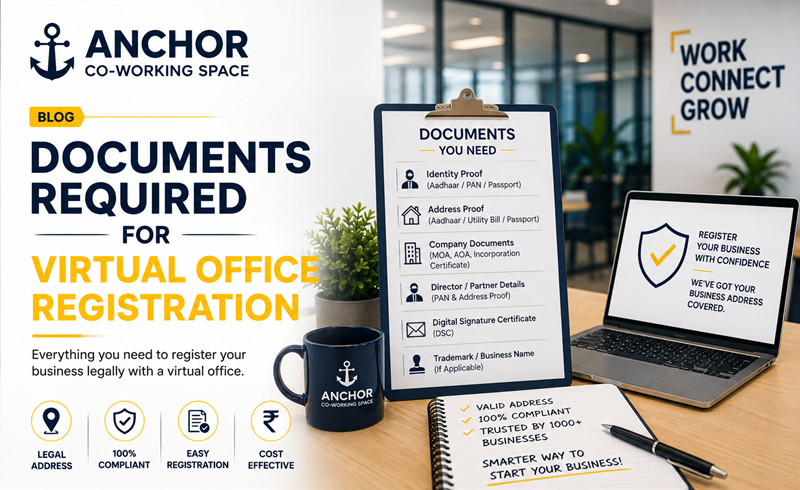
One of the most effective ways for startups and growing companies to acquire an office is by establishing a virtual office. Learning more about the paperwork that is necessary to be completed in order to register a virtual office is the key step to make sure that there won’t be any delays or refusal of the registration.
This guide walks through exactly what you need, why each document matters, and how to make sure your virtual office registration goes through smoothly.
Why Documentation Matters So Much
Government authorities like the Ministry of Corporate Affairs (MCA) and GST department need to verify that a registered business address is genuine, traceable, and legally sound. Since a virtual office doesn’t involve a full-time physical presence, the documentation trail becomes even more important in proving the address is authentic and properly authorized for business use.
A reputable virtual office provider will have this entire document set ready and organized, but understanding what involved helps is you evaluate providers and avoid last-minute surprises during registration.
Core Documents Required for Virtual Office Registration
- No Objection Certificate (NOC)
No Objection Certificate is perhaps the most important document to obtain from the company’s property owner to confirm that the owner of the said property has no objection for using the given address as the registered office or place of business. NOC needs to be printed on the property owner’s letterpad (if available) and signed and dated by the property owner.
- Rental or Leave-and-License Agreement
A valid rental agreement or leave-and-license agreement between the virtual office service provider and the property owner gives the right to use the property for providing virtual office services. The rental agreement should clearly mention the address and the allowed purpose of using the property.
- Utility Bill
A recent electricity bill, property tax receipt, or similar utility document in the property owner’s name serves as proof that the address is a genuine, active commercial location. Most authorities require this bill to be no older than two to three months.
- Company PAN Card
The Permanent Account Number (PAN) of the company or proposed company is required for both MCA and GST registration processes tied to the virtual office address.
- Identity and Address Proof of Directors/Partners
Documents such as Aadhaar card, passport, voter ID, or driving license for all directors or partners are needed to verify the individuals associated with the business.
- Passport-Size Photographs
Standard photographs of directors or authorized signatories are typically required as part of the incorporation or GST application forms.
- Resolution from Board of Directors (for the Existing Companies)
Where the company has been incorporated and is changing the registered office to a new place, a resolution from the board of directors has to be passed for that decision.
- Digital Signature Certificate (DSC)
The use of the Digital Signature Certificate of any director or authorized signatory is necessary to file the documents accurately online at MCA.
- Property Tax Receipt (Alternative Proof)
In some cases, a property tax receipt can be submitted in place of, or alongside, the utility bill as additional proof of the property’s legitimacy.
Documents Specific to GST Registration via Virtual Office
If you’re using the virtual office primarily for GST registration rather than full company incorporation, the document set is slightly adjusted:
- Consent letter or NOC from the property owner
- Rental agreement between the virtual office provider and property owner
- Recent utility bill in the owner’s name
- Photograph of the registered premises, sometimes with the company nameplate visible
- PAN and identity proof of the business owner or authorized signatory
Step-by-Step: How the Registration Process Works
- Choose a compliant virtual office provider with a verifiable, inspection-ready address
- Request the complete document package, including NOC, rental agreement, and utility bill
- Verify document accuracy names, address, and dates should match exactly across all documents
- Submit documents along with your MCA or GST application
- Respond promptly to any department queries or clarification requests, if raised during verification
- Receive registration confirmation once the application is processed and approved
Common Mistakes to Avoid
- Using outdated utility bills that fall outside the accepted time window
- Mismatched names or addresses between the NOC, rental agreement, and utility bill
- Choosing an unverified or non-compliant virtual office provider
- Failing to update the registered office documentation when switching providers or expanding to a new location
Why Choosing the Right Provider Simplifies Everything
Gathering the correct documents required for virtual office registration can feel overwhelming if you’re doing it without guidance. This is where working with an experienced provider makes a significant difference they already have the compliant paperwork structured and ready, reducing back-and-forth and minimizing rejection risk.
Anchor Co working Space provides fully compliant virtual office packages that include a complete, ready-to-use documentation set NOC, rental agreement, and utility bills specifically structured to meet MCA and GST registration standards. Their team also assists businesses through the entire registration process, ensuring accuracy and reducing delays. Understanding the documents required for virtual office registration upfront saves time, prevents compliance headaches, and ensures your business gets registered without unnecessary back-and-forth with authorities. By partnering with a trusted, experienced provider like Anchor Co working Space, businesses can access verified addresses and complete documentation support, making the entire registration journey simple, transparent, and fully compliant.